
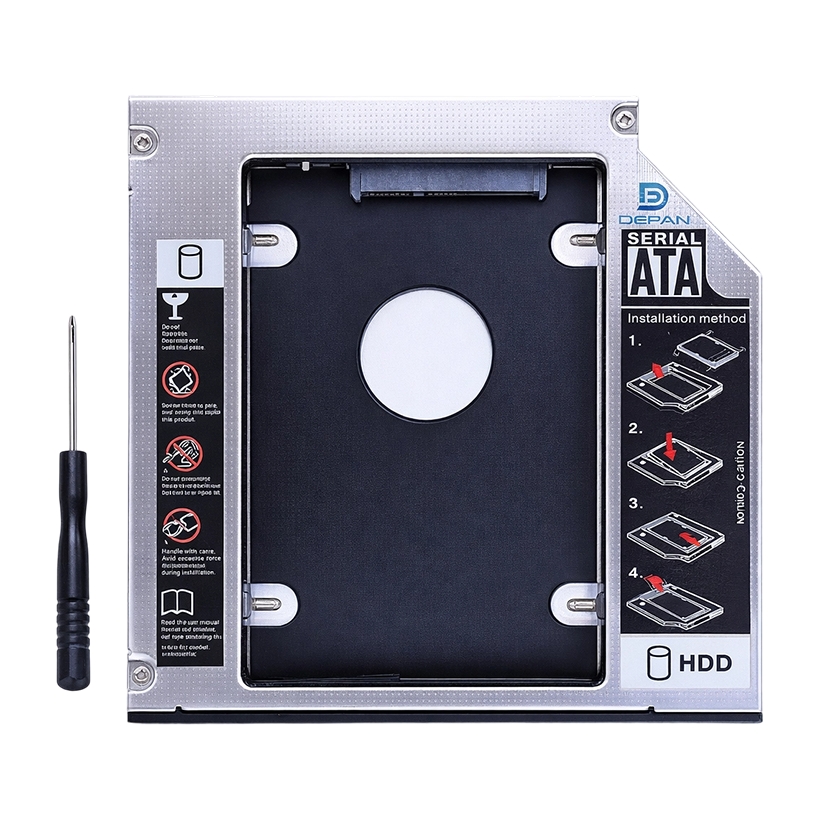
HDD Caddy for more storage with a 2nd laptop drive
Thanks to HDD Caddy, it is now easy to add more storage space to your laptop or Macbook Pro! With HDD Caddy, you can add a second internal hard disk drive (HDD) or solid state drive (SSD) to your laptop. No need to carry external USB hard drives or USB sticks anymore! It is easy to install. First, insert your own HDD or SSD in the HDD Caddy and then replace your optical drive (DVD or BluRay drive) with the HDD Caddy. HDD Caddy is an ideal solution if you need more storage space or if you want to use a fast SSD with an extra HDD. Enjoy the flexibility of having more storage space.
Install: Easy as 1 2 3!
Installing the HDD Caddy into your laptop comes down to 3 basic steps.
Remove the optical drive (or DVD-drive)
Attach the bezel from the optical drive onto the HDD Caddy
Install the HDD Caddy with the 2nd HDD into the laptop (the empty spot of the optical drive)
Model: N44
Color: Silver
Material: Aluminum alloy + plastic
Supports: 2.5" SATA I / II / III HDD / SSD up to 1TB
Laptop connector: SATA
Suitable for laptop with 9.5mm thickness optical drive
Features:
9.5mm HDD Caddy Adapter
Fits 2.5" SATA HDD & SSD
Supports SATA I/II/III
Up to 1TB Drive Support